
Free tool
Content Shoot Calendar
One photo day can serve eight weeks of communication – when you plan how the content will be used before the shoot.
I made a free tool for this. The planner helps you decide, before the photo day, what gets published, where and when – and derive a shot list from it, where every photo and video already has a known use.
The template is free to download and edit. You can swap in your own company colours and channels.
Excel (.xlsx) · also works in Google Sheets and Numbers · no sign-up
What the template contains
The template has four tabs, but you only fill in one of them:
Publishing plan
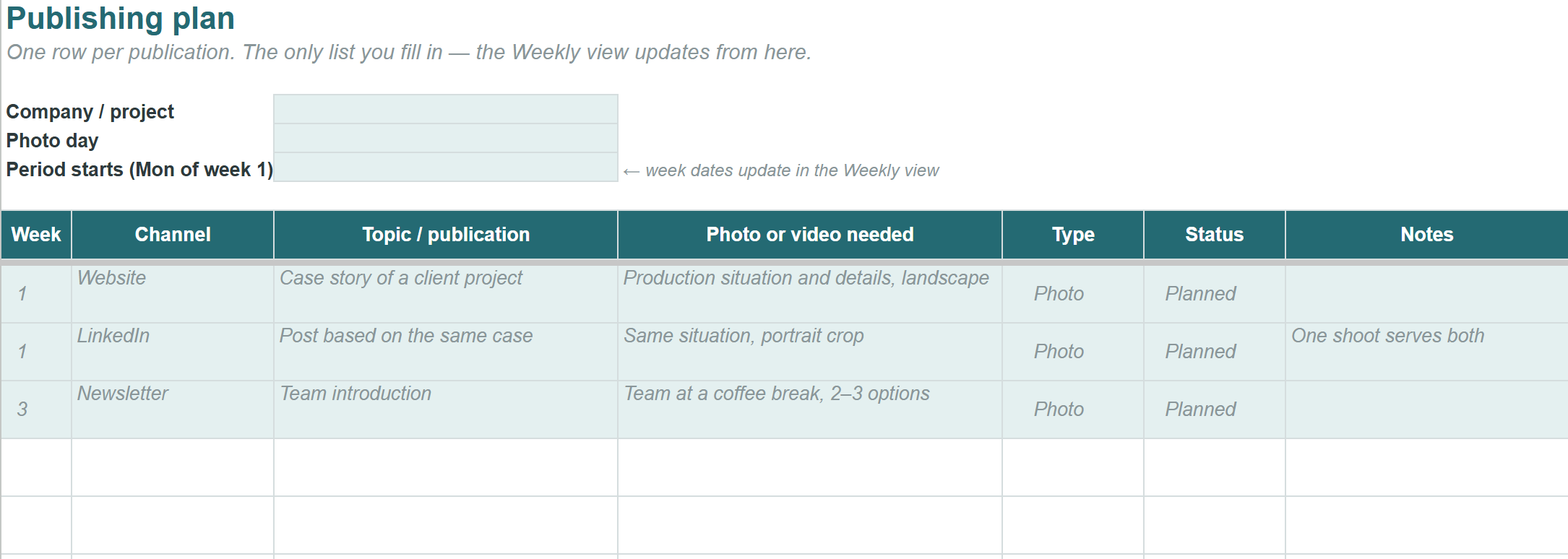
One row per publication: week, channel, topic and what kind of photo or video it needs. This is the only list you fill in.
Weekly view
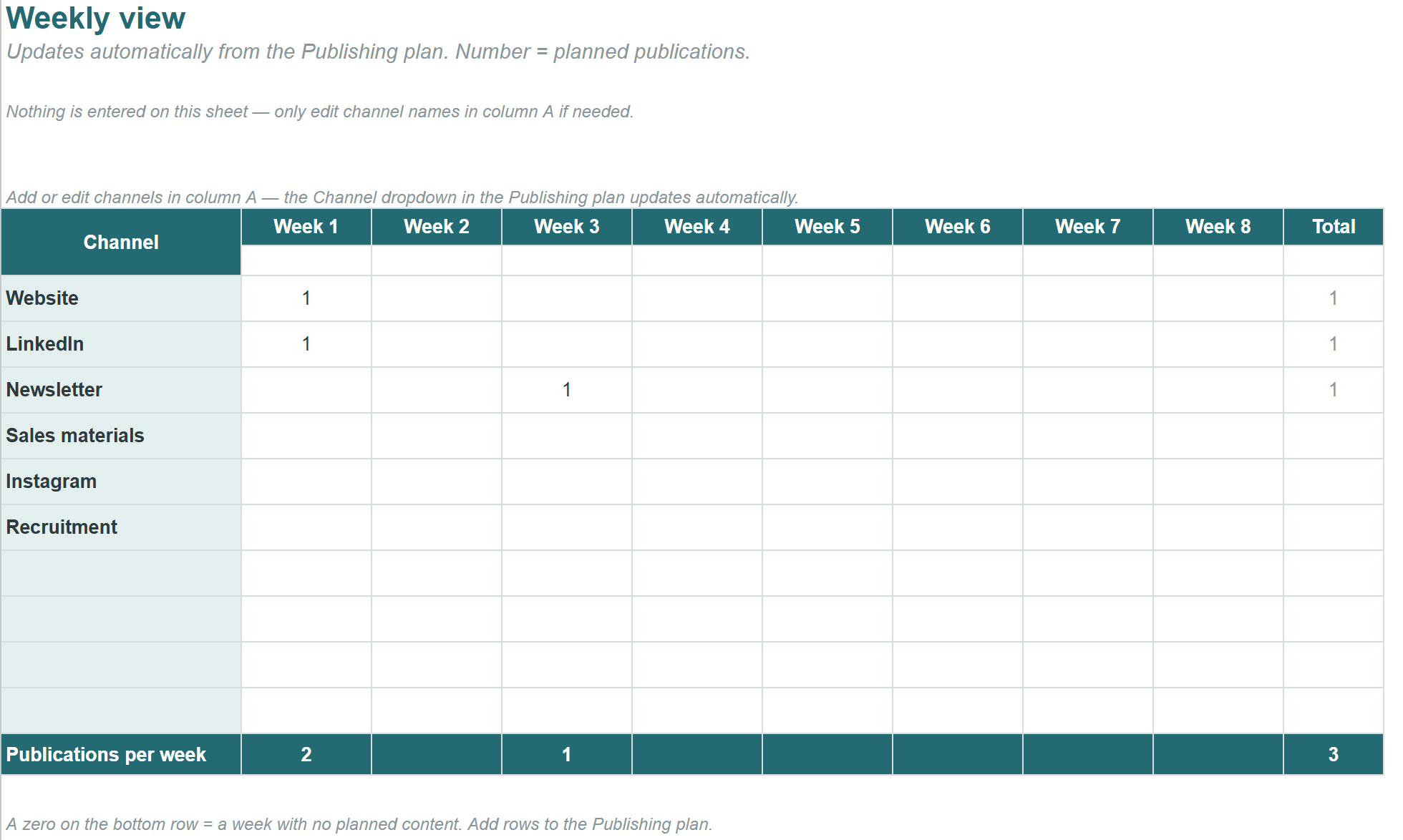
Updates automatically. See at a glance whether the planned content covers all eight weeks or whether there is a gap somewhere.
Photo day
A checklist of things worth agreeing on before the shoot, plus a schedule outline for the day itself.
Instructions
A short how-to and tips for switching to your own brand colours.
Who this is for
I made the template for people in marketing and communications who plan their company's photo shoots – regardless of who ends up doing the photography.
The most common reason photo day material goes underused is not the quality of the images but the direction of the planning: first you shoot, and only then do you think about where the images could be used. This template reverses the order. When the publications are planned first, the shot list emerges from them on its own – and one shooting situation often serves several publications.
How to get started
-
Download the Excel file or make your own copy of the Google Sheets version.
-
Log your upcoming publications in the Publishing plan: week, channel, topic.
-
For each row, note what kind of photo or video the publication needs.
-
Check the Weekly view for gaps – and fill them.
-
Go through the photo day checklist and group the content needs into a schedule.
Filling in the template takes maybe half an hour the first time. It is the cheapest half hour you can invest in a photo day.
What if you want the whole photo day handled in one go?
This template is essentially the same work I do with the client at the start of every Content Day shoot: we go through the channels, the people and the work situations before the camera even comes out.
Content Day is a one-day photo package that produces a coherent content bank for your company in a single session – staff portraits, work-in-progress shots, premises photos and short video clips – for your website, LinkedIn, recruitment and marketing. Pre-planning is part of the package, so you don't have to fill in this template on your own.
And if you need content regularly all year round, the same structured approach is available as an ongoing service through the Monthly Content Partner collaboration.
Questions about the template?
If anything comes up while using the template, or you feel something essential is missing, drop me a line: petteri@petterilopponen.com. I develop the tool based on feedback.